

Ulrik Bo Larsen
Exec Chair and President
In most companies, there are many conversations where someone asks for slides. Everyone agrees it would make the difference. But nobody has a day to spare, the designer’s busy, and the meeting is tomorrow.
I’ve spent decades building commercial teams and that situation shaped what we could do. When reps needed something we couldn’t make in time, they built it themselves in PowerPoint, from a bad template they’d found online. Then a marketing leader would see it, and there’d be a scene. This was in a company with a full marketing team, an enablement function, and a brand book everyone had read. The work was needed but there was just no economical way to make it.
Generating a deck now costs almost nothing. Connect a few tools and a deck can be assembled from your CRM, your call notes, and your product data without anyone opening a slide editor. Then you look at what it made and realize that, even with clear instructions to the AI, fast to make doesn’t mean ready to send.
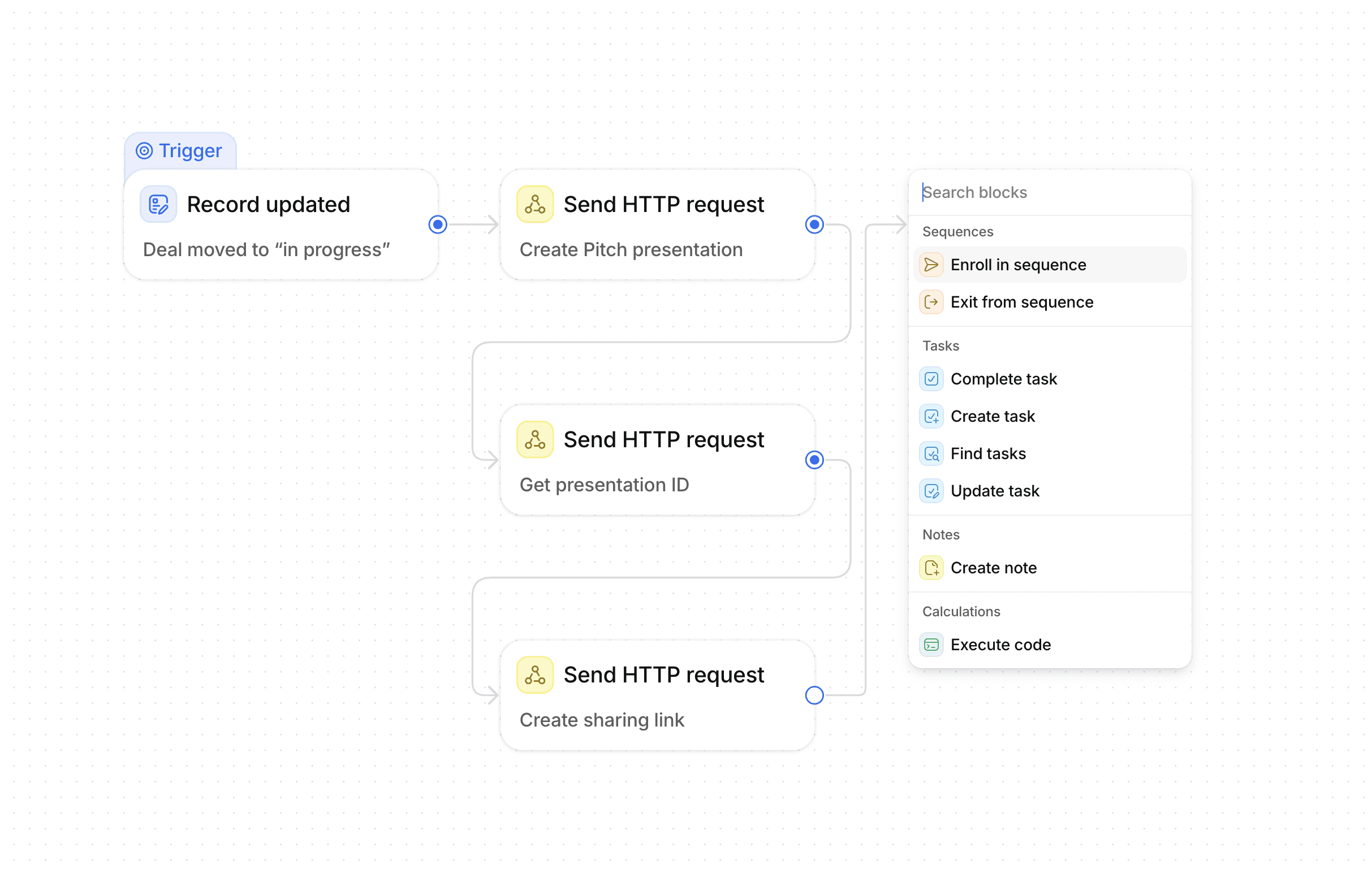
That gap is what Pitch MCP and Pitch API are for. With the MCP, you can ask Claude to create a deck, and it pulls context from wherever it lives and hands you back a shareable link, built to your template. With the API, no one needs to ask at all: a deal changes stage, a form comes in, and the deck is already made and sent. In practice, it’s as unglamorous as typing: “Pull up the Vertiq deal from HubSpot and their latest Granola call notes, then generate a deck from our Follow-up template.”
That distinction, between describing your standards and enforcing them, is what many teams are learning the hard way.
The problem with decks that look generated
These days, everyone’s playing AI bingo. I can spot a deck built by an LLM in an instant, and so can most prospects. They write the deck off as low-effort before the presenter has made their first point. Whether that judgment is fair matters less than the fact that people make it.
So the interesting question about that lower cost of creation is less about how fast you can generate something and more about what has to be true for the output to be worth sending.
Telling a model your standards isn’t the same as enforcing them
Most teams’ first answer here is to give AI more instructions. You write down your positioning, your approved claims, your tone, your hex codes, and you point your AI at it. For plenty of work, that’s the right answer and I’d encourage it. A shared description of who we are and what we sell should be available to the team and to the model.
But instructions get reinterpreted on every run. Ask for the same deck ten times and you’ll get ten approximations of your brand. That might be fine for an internal update, but it certainly isn’t fine for a big deal proposal.
“Every tool you connect should carry the guardrails for its own subject matter.”

Ulrik Bo Larsen
Exec Chair and President
The alternative is for the rule to live inside the tool that makes the content. In an agentic setup, every tool you connect should carry the guardrails for its own subject matter. Your CRM decides what counts as clean data. Your presentation tool decides what counts as on brand. So when Claude calls Pitch through the MCP, it isn’t handing over a description of your brand and hoping. Your template is the standard, and Pitch holds the output to it, whether a person asked for it or a system did.
Two kinds of AI presentation workflows
Here’s the distinction that decides where to start.
A generative workflow gives the model room to decide. You describe what you want and it composes something: a first draft in minutes rather than hours, or a targeted edit to a deck that already exists. It’s the fastest way to get from nothing to something, and the output needs a person to read it before it goes anywhere near a client.
A deterministic workflow gives you control over exactly what changes. You build a template with defined variables and the system populates them from your systems of record. Account name, seat count, usage numbers, pricing. The design is fixed because somebody already designed it. What arrives is predictable, which is what lets it go out without a slide-by-slide review.
When the stakes are high, teams tend to reach for the second workflow first, and I think they’re right. Here are three that come up repeatedly.
A QBR built from the account
On day one of the quarter, the API generates a draft for every account you own. Usage and feature adoption come from your product analytics, revenue history from billing, open discussion points from the CRM, all populated into the QBR template your Customer Success team already uses. Nobody spends a week pulling numbers out of four systems. The CSM opens a deck that’s already accurate and adds the part that matters, which is the judgment about what it all means.
A pricing proposal triggered by a stage change
A deal moves to negotiation and your CRM calls the Pitch API. Three packaged options appear, built around the seat count on the record, with terms and totals correct because they came from your pricing logic. This is the kind of deck that used to wait two days for someone to build it carefully, because getting a number wrong in front of a buyer is expensive.
A follow-up deck from the call
One prompt to Claude with your call notes tool connected, and you get the requirements the prospect described in their own words, the agreed next steps, and the trial scope, sent while they still remember the conversation. This one is close to table stakes already, which should tell you how quickly the other two become normal.
What happens after it’s generated
Most AI tools produce a file. It lands on your machine or in your browser, you send it somewhere, and eventually it’s called final_v3_final. Some of us spent fifteen years getting work out of the file system and into the cloud, and we’ve taken a detour straight back. My guess is that reads as a footnote in a few years.
Client-facing decks have several people’s hands on them, and they keep living after version one. So when Pitch sits at the end of an agentic workflow, the output lands in a shared workspace with full version history, where your colleagues and the agents they’ve spun up can all see it and work on it. Often, someone still has to open a presentation and make it theirs. Effort is a signal now, and nobody gives their attention to something that clearly took none. Then it goes out as a tracked link, and you find out which slides the buying committee actually read.
Generation on its own is becoming ordinary. What happens to the presentation afterward isn’t.
So what deserves a deck now?
The interesting cases are the pieces of communication your team never made because a deck was too much of a lift to justify. A briefing for a rep before every first call in a new region. Something for a customer who’s gone quiet. A short, tailored piece for the champion who’s presenting your product internally to people you’ll never meet. None of those warranted a day of somebody’s week. Several of them are worth more than the deck that did.
Pitch MCP is available as a custom connector for Claude (and other AI tools on request), and the Pitch API is available on Business and Enterprise plans. Connect them, build something we didn’t anticipate, and share your neat new workflows with us. And we’re just getting started: next come one-click connectors in the Claude and ChatGPT directories, workflows for creating templates and pitch rooms, and webhooks so your systems hear back when a deck is created or opened. The goal stays the same: no deck worth making should be too much of a lift to exist.


